
Plan the work. Hand it to your AI. Watch it move.
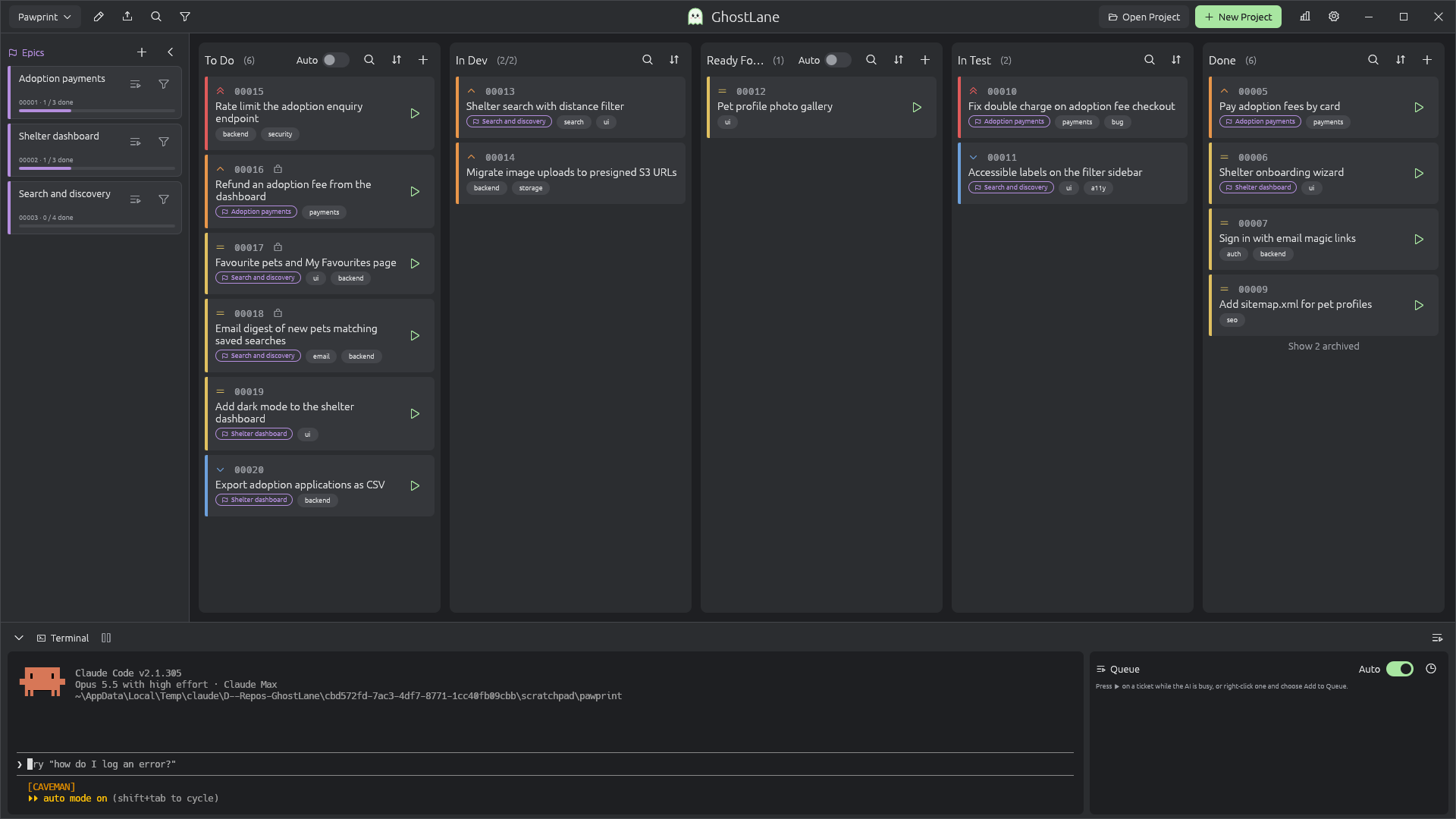
GhostLane is a project board for coding with AI. Your AI writes the tickets, you shape them, and one click sends a ticket to Claude Code, Codex, Gemini or whichever CLI you use, running in a terminal right under the board. Then the ticket moves itself, from To Do to In Dev while the AI works and on to Ready For Test when it's done. Queue up the next few, run several side by side, or switch a column to Auto and let it work through the backlog by itself.
Windows, macOS and Linux. Free and MIT licensed. No account, no server, no subscription.
One giant prompt gets you one giant diff
Ask your AI to "add favourites to the app" in a single prompt and you get a few hundred changed lines, some half-finished edges and no clear way to tell whether it worked. When something breaks, you're untangling all of it at once.
Split the same feature into ten small tickets, each with a description and a test scope, and the same model does far better. You can review each piece on its own. If one goes wrong, you run that one ticket again.
Everyone who codes with AI learns this eventually. GhostLane is the tool that makes working this way less effort than not.
How it works
-
01
Open your repo
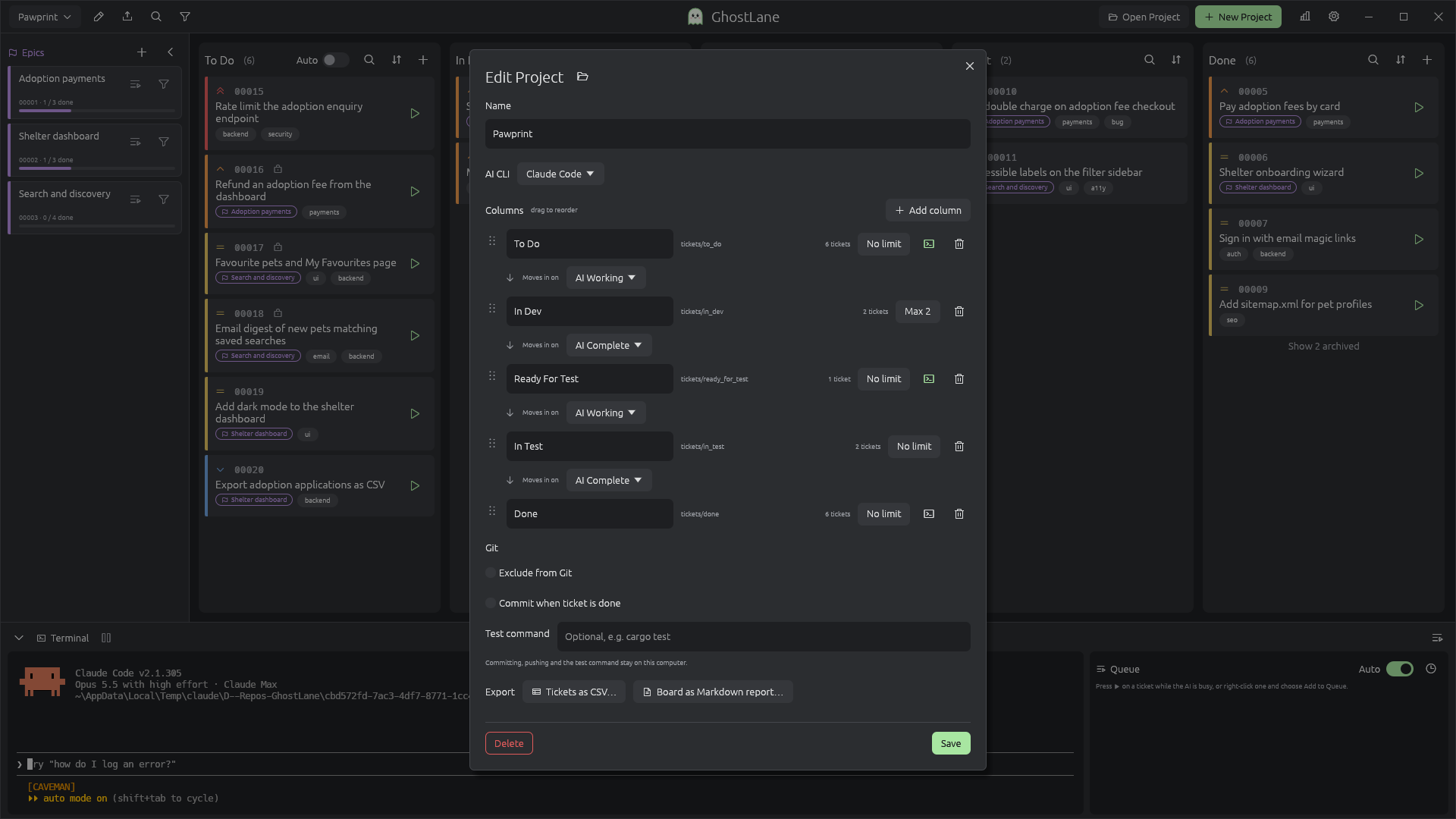
Point GhostLane at a project folder. It sets up a board and starts your AI CLI in a terminal in that folder, so it's ready before you need it.
-
02
Describe the work
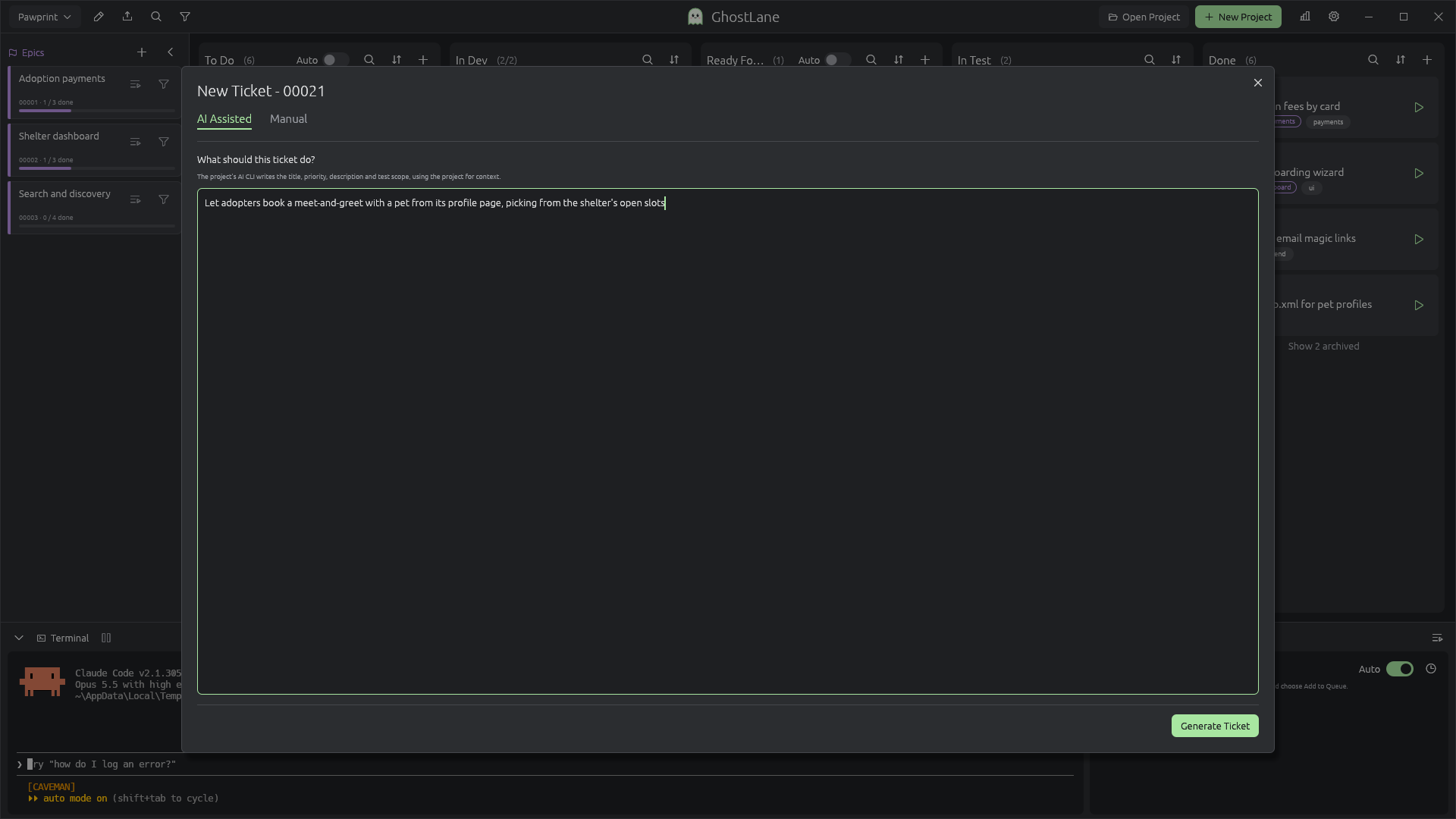
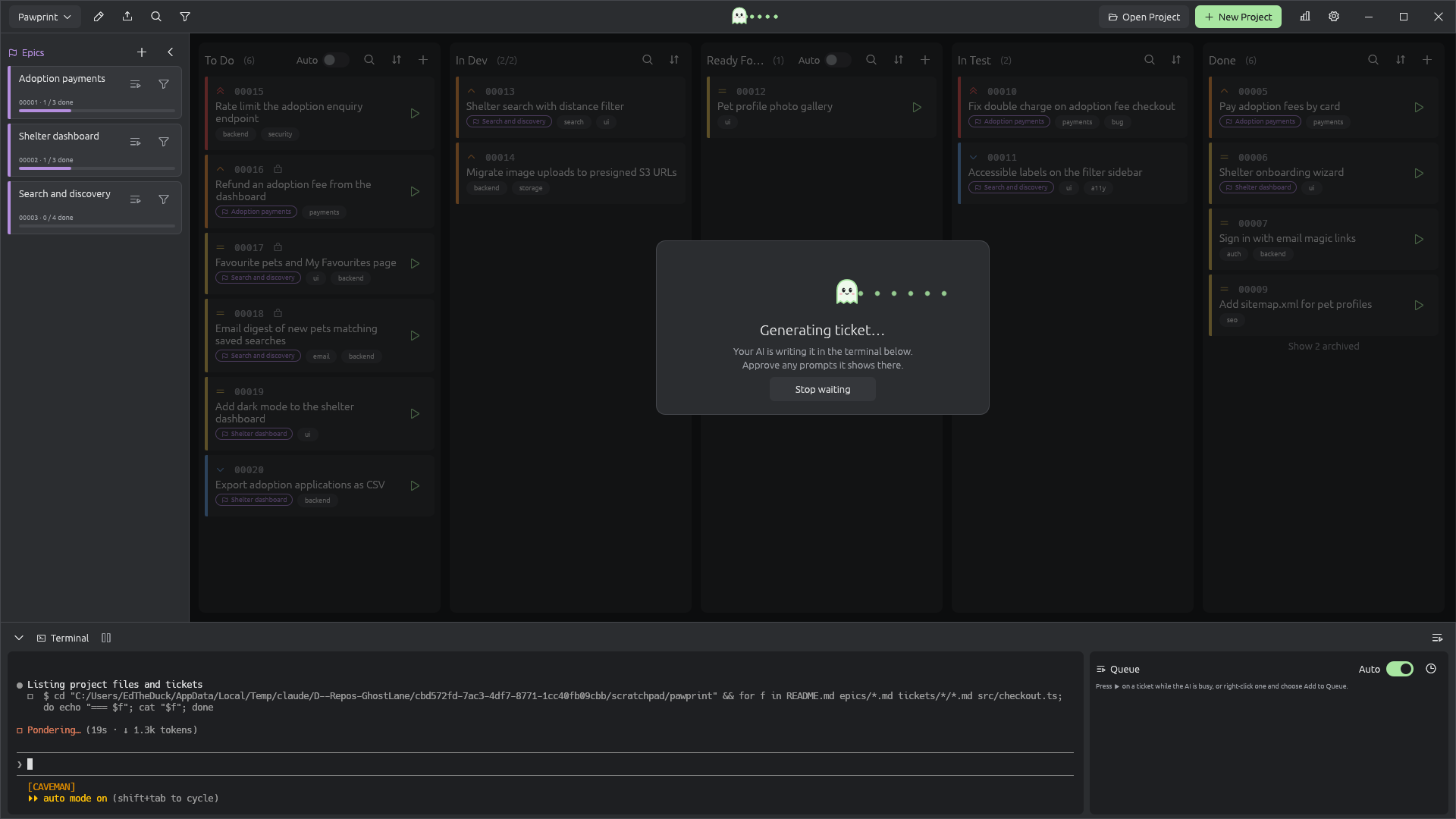
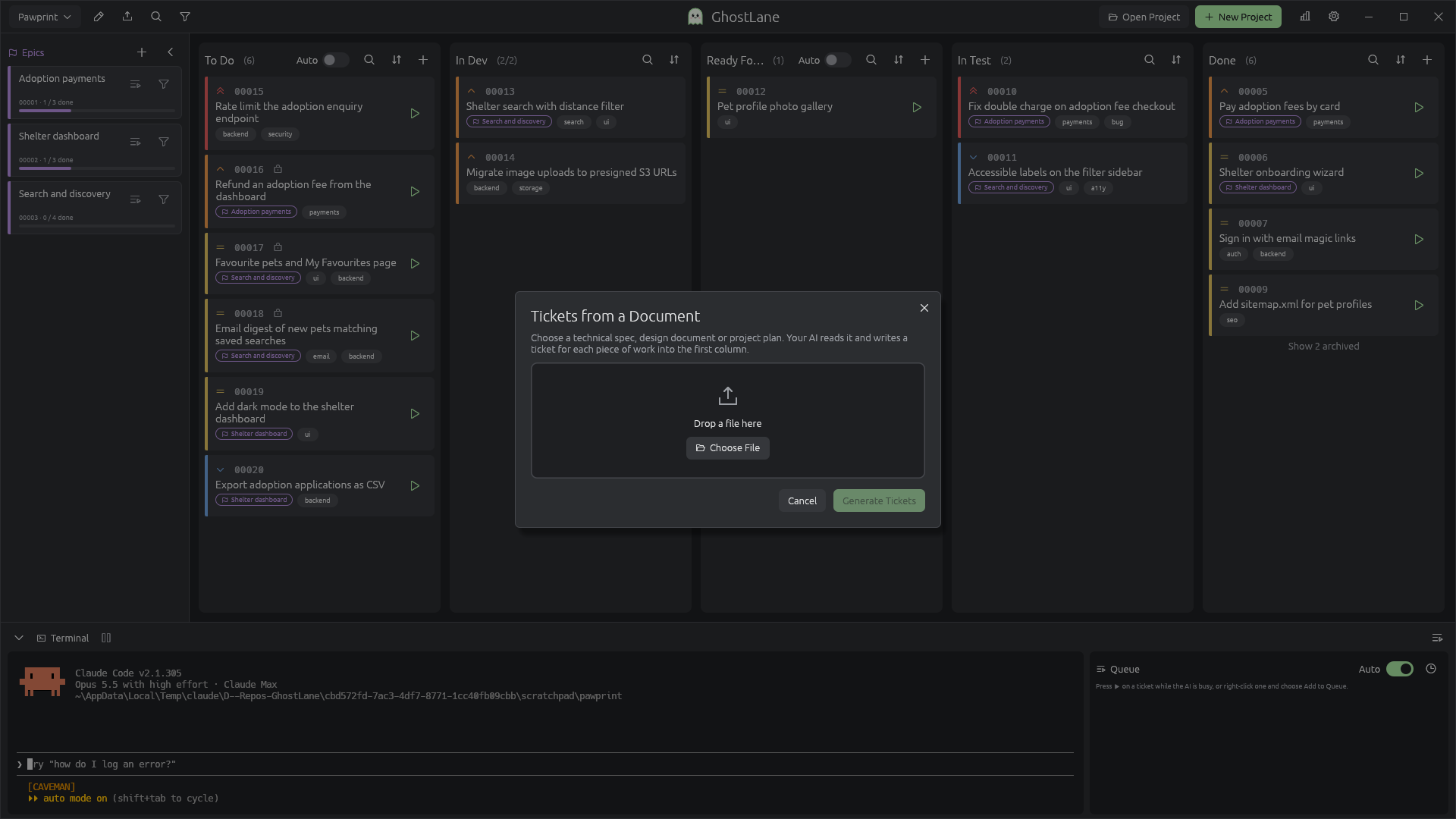
Type a sentence. Your AI reads the codebase and writes a full ticket with a priority, a description and a test scope.
-
03
Press play
The ▶︎ button on a card sends that ticket to your AI. It slides into In Dev while the AI works and on to Ready For Test when it's done. Review ticket 3 while ticket 4 runs, and queue ticket 5 behind it.
-
04
Press play again to test
The AI checks the work against the ticket's test scope. A pass moves it to Done. A fail goes back to To Do with a note saying why.
Automation
Hands-free when you want it
Line up the work and let the AI get on with it. You decide how much it does on its own, and you can step in at any point.
Queue
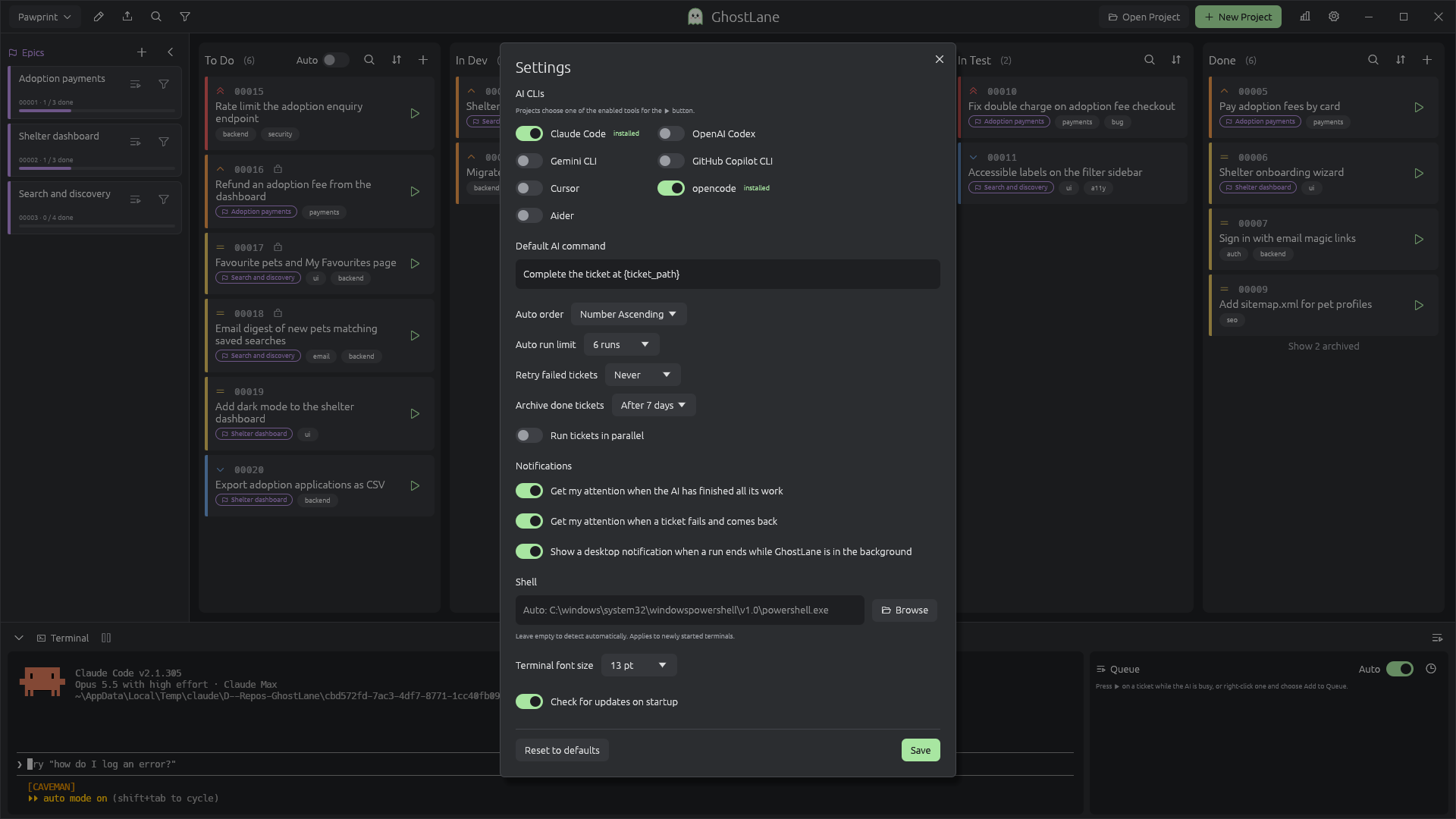
While the AI is busy, the ▶︎ on each card adds the ticket to a queue that runs as soon as the AI is free, or right-click a card and choose Add to Queue. The queue sits beside the terminal, where you drag tickets into order or drop the ones you've changed your mind about.
Overnight runs
Give the queue a schedule, say 22:00 to 07:00 on weeknights, and an optional token budget for each window. When the window closes, a summary shows what got done, what came back and how many tokens it took, ready to copy as Markdown.
Auto
Flip the Auto switch on To Do or Ready For Test and GhostLane starts the next ticket by itself whenever the queue is empty, highest priority first or in the order you pick. Work further along the board goes first, so things get finished before new things start.
Parallel runs
Switch on parallel runs and several tickets go at once, three by default. Each gets its own git worktree, branch and terminal tab, so the AIs never trip over each other, and its work merges back when it reaches Done.
Retry failed tickets
A ticket that fails testing or the test command can go straight back to the AI at the front of the queue, told to read the notes on what went wrong and fix that first. It stops after the number of tries you pick.
Pause and Stop
Both sit beside the terminal's title. Pause lets the AI finish the ticket it's on and starts nothing new. Stop interrupts it straight away and leaves the ticket where it is. Press Resume when you're ready.
A ticket that keeps failing won't loop forever: after the Auto run limit (6 by default) Auto skips it and flags the card red. Blocked tickets wait their turn. Auto switches off when you close GhostLane, the taskbar flashes or the Dock icon bounces when the AI runs out of work or a ticket fails, and a desktop notification tells you where each finished ticket landed. Parallel runs need a git repository, and schedules need GhostLane open and the computer awake.
Sub agents
A Developer and a Tester on call
GhostLane writes a short guide to your board into the file your AI CLI already reads, like
CLAUDE.md or
AGENTS.md, and sets up two sub agents that know
every column and where tickets go next.
Developer
Picks up tickets waiting for development, moves them into In Dev before starting and on for testing when the work is done.
Tester
Checks finished work against each ticket's test scope, passes it on, or notes what failed and sends it back for rework.
Kept in sync whenever you change your columns. Your own notes in the file, and agent files you wrote yourself, are left alone.
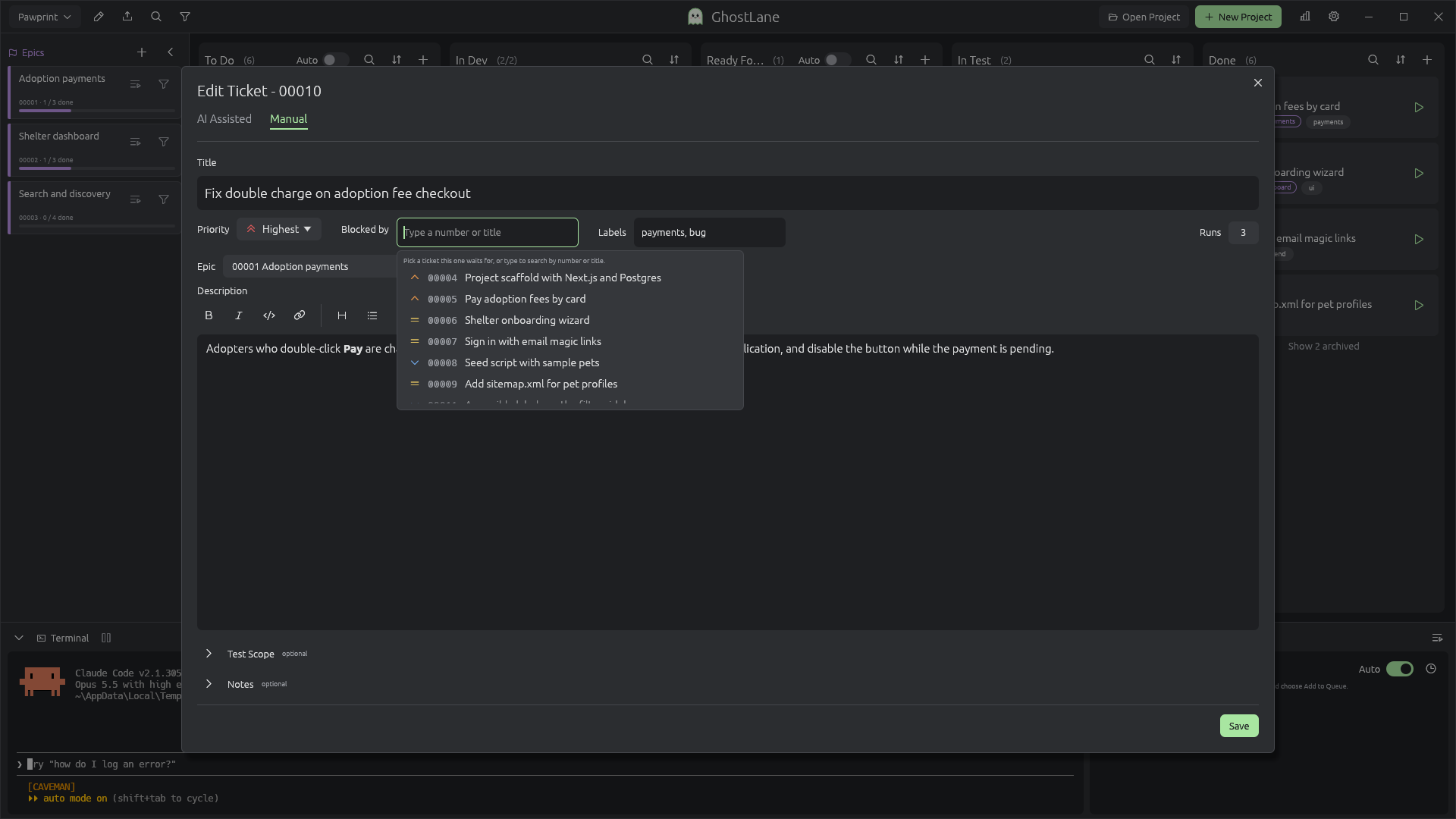
Dependencies
Work in the right order
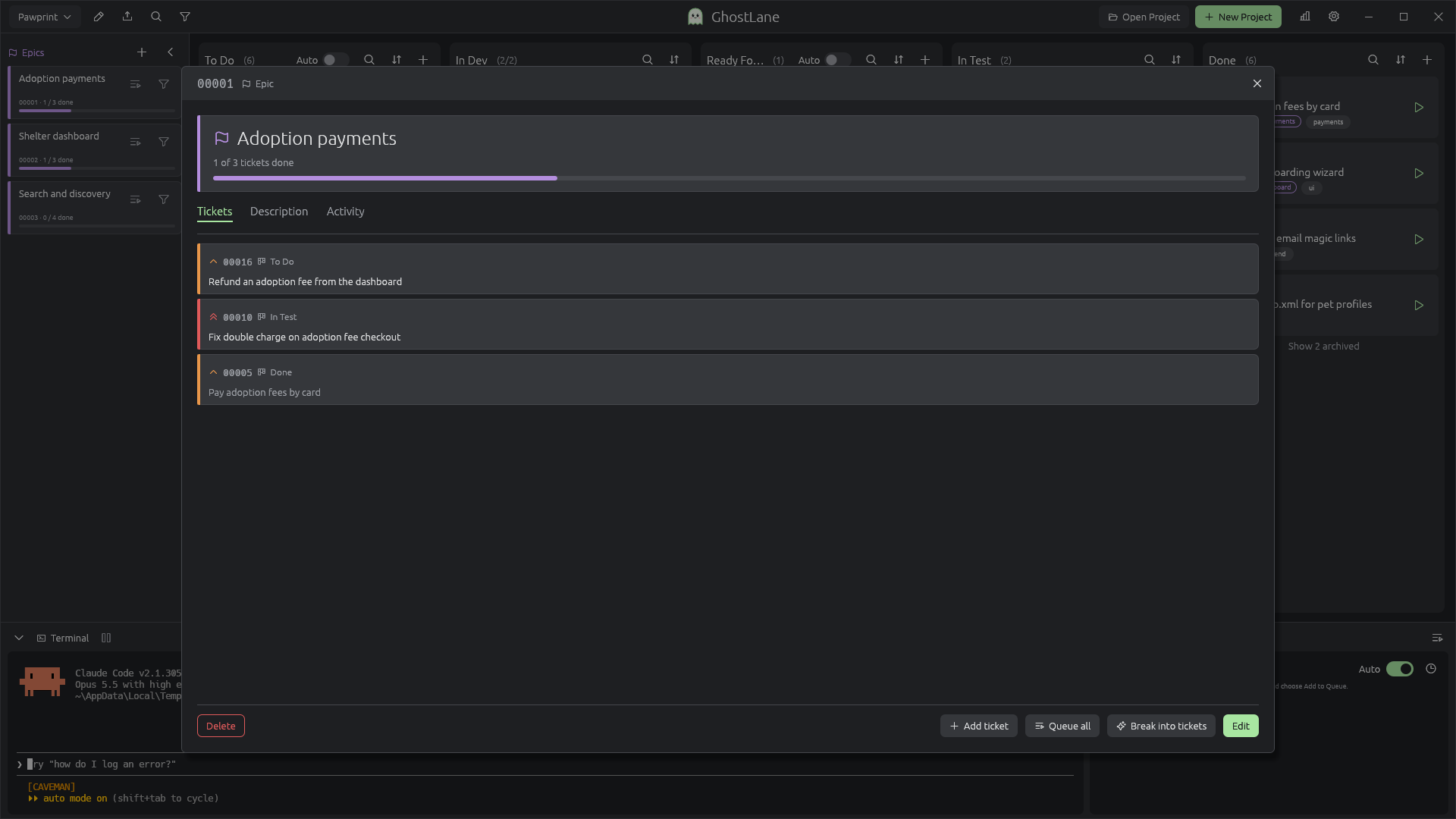
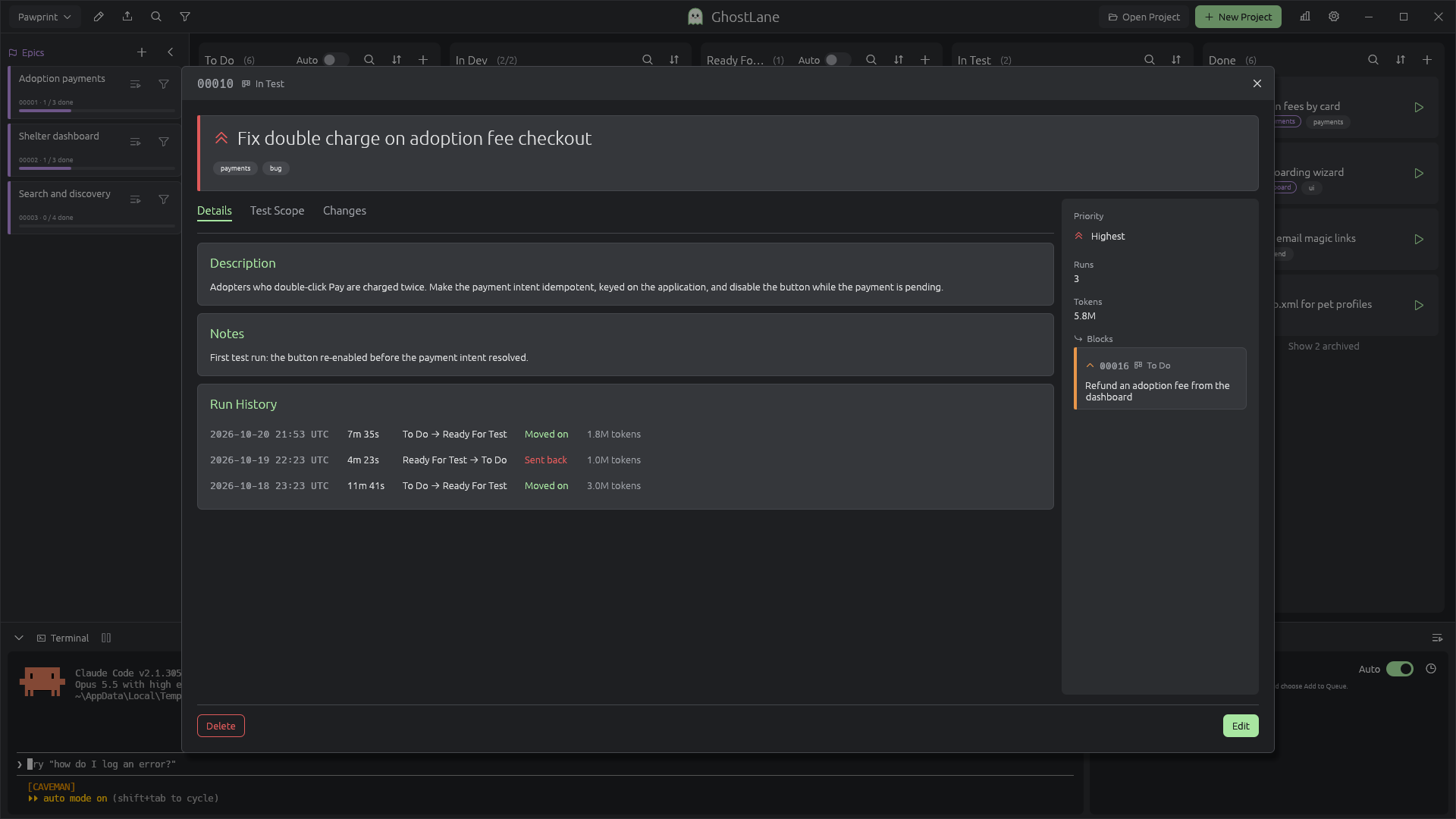
Some tickets can't start until others are finished. Pick them in a ticket's Blocked by field, or let your AI fill it in when it writes tickets from a spec. The card shows a lock until they're done, and Auto and the queue skip it until then, so ticket 4 never starts before ticket 3. Need it now anyway? ▶︎ still runs it.
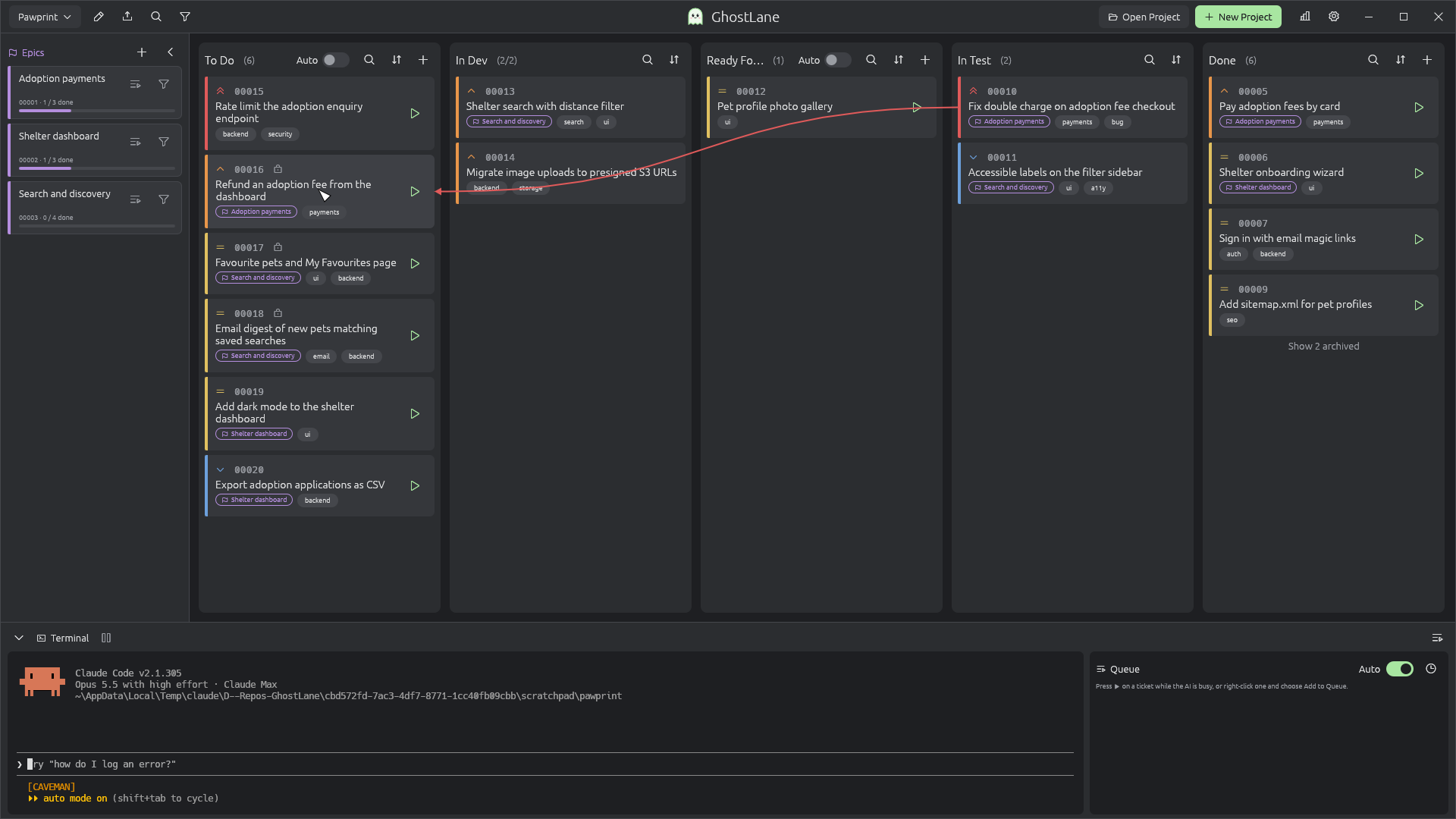
Hover over a card to see how it connects: arrows run from the tickets it waits for and to the ones waiting on it, red while the one at the start isn't done yet.
Git
Done means done
Tell GhostLane what should happen when a ticket reaches the last column, and every finished ticket becomes one tidy, tested, revertable commit.
Test command
Run cargo test or
npm test when the AI finishes. A fail sends
the ticket back with the output in its notes, so the next run knows exactly what broke.
Commit, push or open a PR
Commit everything with the ticket's number and title as the message, like
00012: Add a logout button, and push it
straight away, or put each done ticket on its own branch and open a pull request for it with the GitHub
CLI.
Exclude from Git
Rather keep the board out of the repo? One tick adds the project file and
tickets/ to
.gitignore, and nothing else in it is touched.
Committing, pushing and the test command stay on your computer, not in the project file, so opening someone else's repo never commits, pushes or runs a command by itself.
Labels and filters
A big backlog stays readable
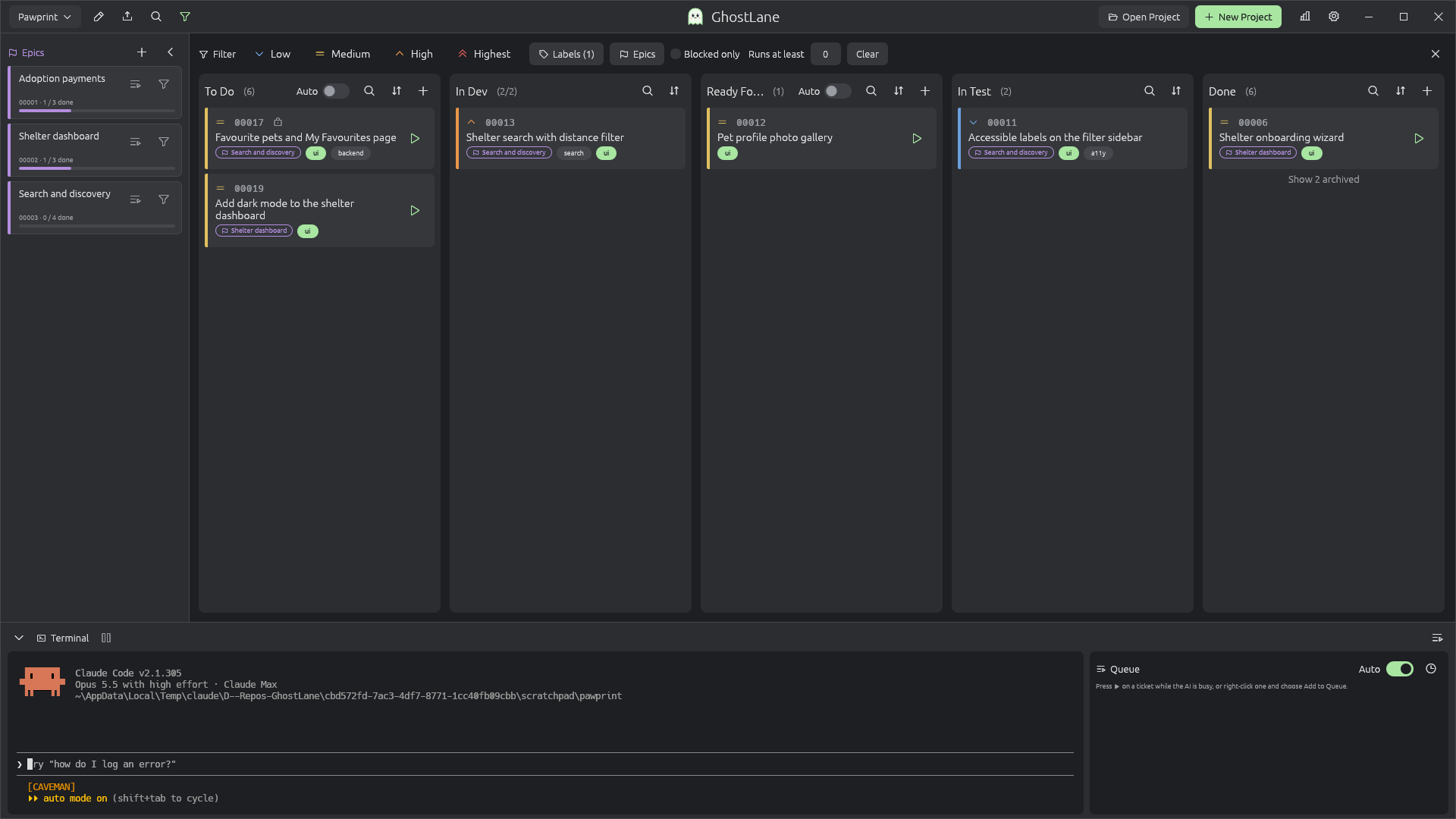
Labels and epics show as pills on every card, and a priority stripe down the side marks the urgent ones. Click a pill to filter the board by it, or open the filter bar from the title bar and narrow every column at once by priority, label, epic, blocked tickets or how many runs they've needed.
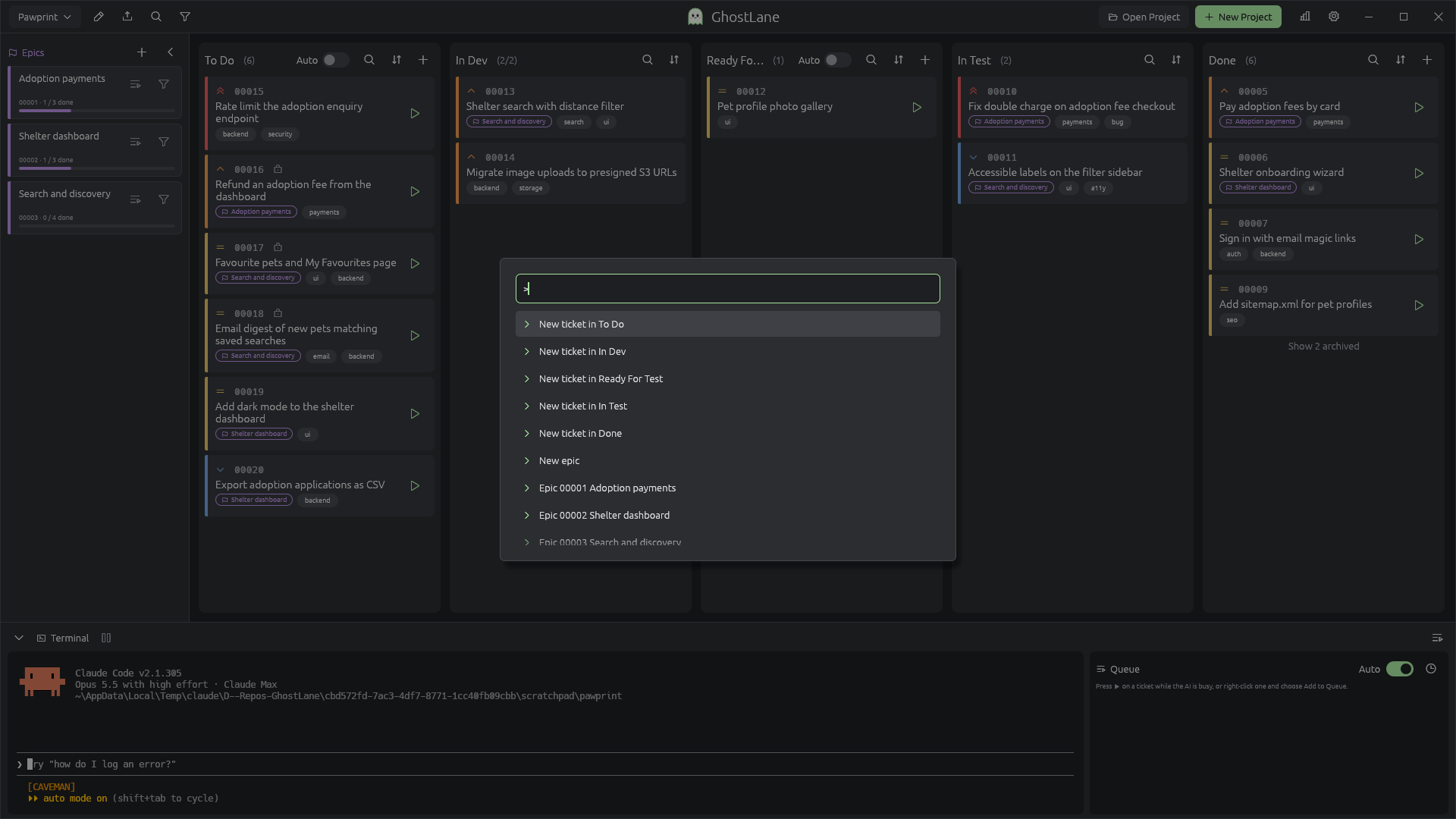
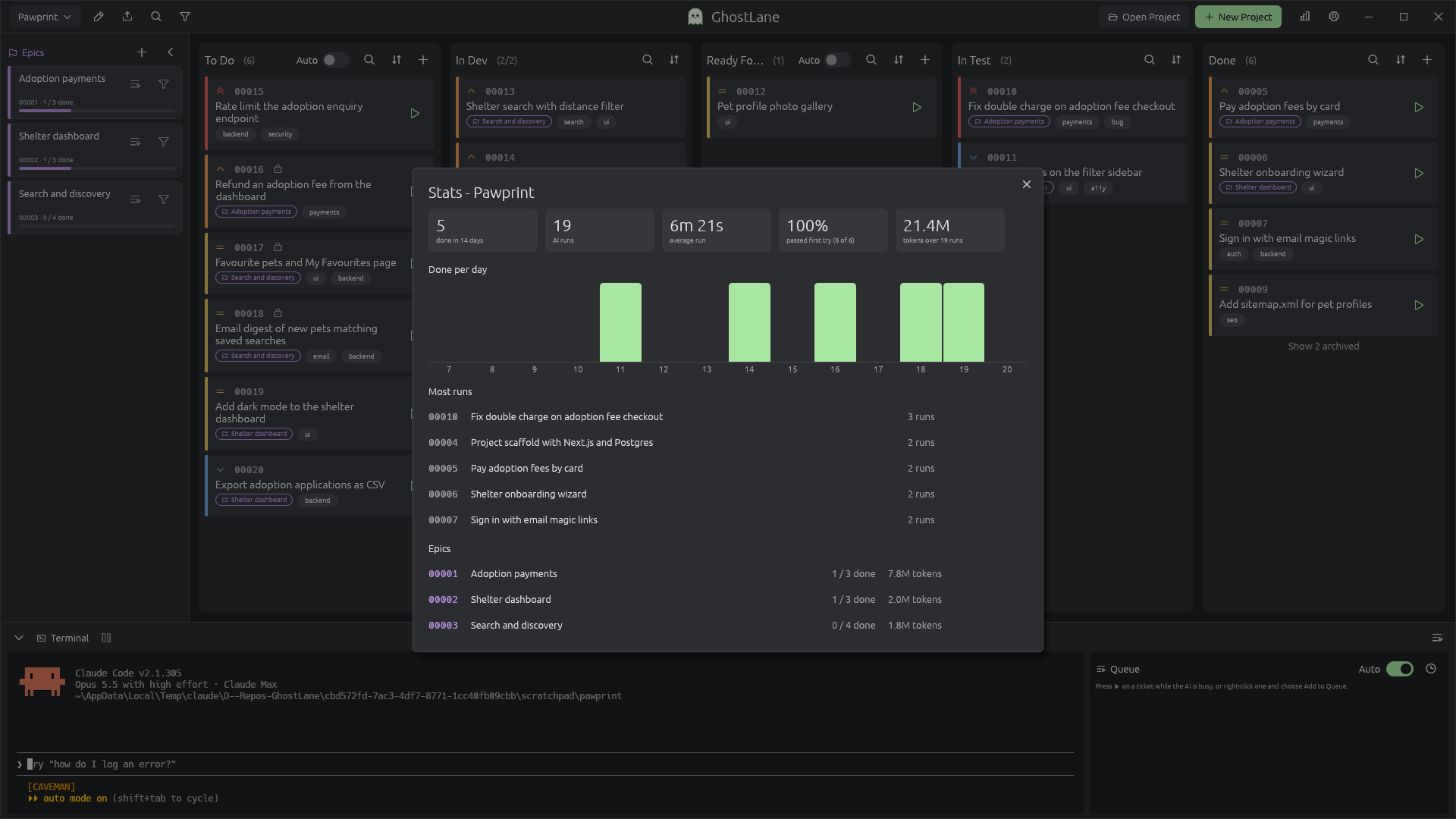
The small things, done properly
Search and sort every column
Filter by ID, title, labels, description, test scope or notes as you type, or type
label:ui or epic:00005. Sort by ID, priority or title, and GhostLane remembers your choice for each column.
Run counts on every card
Each press of ▶︎ adds one to the ticket's run count, so you can see what has already been attempted and what took three tries. Auto skips a ticket once it hits the run limit and flags it red.
Four priorities, colour-coded
Low, Medium, High and Highest, each with its own icon and a stripe down the side of the card, so the urgent work stands out in a full column.
Safe with other people's repos
GhostLane never puts a ticket's title or text into a shell command, and refuses to run if a path or ID
contains quotes, $, ; or |. Column commands live in the project
file, so glance at them before running someone else's.
Many tickets at once
Ctrl-click or Shift-click cards to pick several, then send them all to the AI, move them, change their priority or delete them in one go. Drag one and the rest come along.
A native app
Written in Rust and drawn with egui. It's a desktop app for Windows, macOS and Linux, not another browser tab, and it's dark grey and soft green for long sessions. An Update button appears in the title bar when a new release is out.
Give your AI smaller jobs
Download GhostLane, open a repo you're working on, and ask your AI to split your next feature into tickets. Watch them land in To Do.
Download GhostLanePrefer to build it yourself? Build from source with a stable Rust toolchain.